
TAKE A LOAD OFF, CAROLINAS! IMPORTANT SAFETY TIPS FOR LOADING DRIVE-IN RACK

FORKLIFT OPERATOR SAFETY TIPS FOR LOADING DRIVE-IN RACK
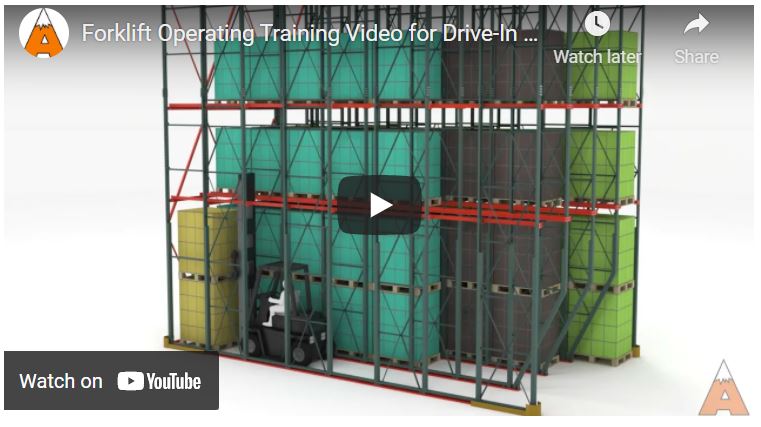
If your North or South Carolina warehouse handles high-volume SKUs you may be familiar with Drive-in pallet racking – which is a great dense storage solution for inventory comprised of a limited number of high-volume SKUs. On of the things that makes this rack system so effective, however, is the design that packs in a lot of pallets into a reletively tight space. therefore, your forklift operators must be trained on the in’s and out’s…and we mean that literally, of safely loading and unloading the drive-in rack system.
But, first things first, confirm your forklift operators are trained and certified in accordance with OSHA standards. If you need to schedule training or recertification, call Apex.

Load Side of Drive-In Pallet Racking System
DRIVE-IN RACK LOADING PROCEDURES
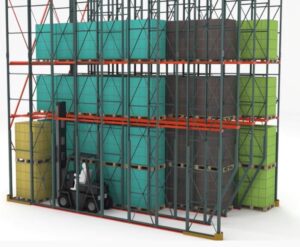
Start loading the floor positions first, and then move upwards. You’ll need to start with the furthest pallet position at floor level – moving one level up at a time from lowest to highest. Subsequent pallets should be placed in the same manner, but working back toward the lane opening
Loading upper pallet positions first can alter the structural integrity of the system and should NEVER be done.
DRIVE-IN RACK LOADING STEPS:
- Align the forklift squarely with the drive-in lane’s opening
- Drive-in lanes should always be loaded from FLOOR up, with the last, or furthest, position being loaded first.
- The first pallet will likely be placed on the floor and potentially stacked two high.
- Lift the pallet 3’’ to 4’’ above rail level when placing it on the rails.
- Always drive slowly in the system toward the last open pallet position. Lower the pallet carefully onto the rails and back out of the system slowly.
- Don’t ever drive in the system with the forklift mast extended.
- Ensure forks are clear of the rack before turning in the aisle.
- Continue to load pallets – floor up/ and from BACK to FRONT until the lane is full.
CAUTIONS FOR LOADING DRIVE-IN RACK:

Misaligned Pallets – A misaligned pallet is one that isn’t sitting squarely on the rails. The driver MUST re-secure the pallet by entering the rack, picking the pallet back up, and realigning it. It can then be centered and lowered back onto the rails.
One should NEVER push or pull the pallet while it’s still on the rails, hoping that it might “fall into place”. This is a dangerously common pallet loading error which could stress the system and cause the pallet to fall through the rails. Don’t risk product, component, or worker injury by cutting corners. \
UNLOADING STEPS:
- Elevate the forks to the height of the pallet to be removed and then slowly enter the system.
- Once the pallet is secured on the forks, raise it 3”-4” above the rails.
- Slowly back out of the lane.
- Lower the forklift mast. Never drive with the mast extended.
- Ensure forks are clear of the rack before turning in the aisle.
Other Safety Considerations for Drive-In Pallet Racking
- Ensure all pallets are of the same size.
- Never use damaged or weak pallets with drive-in racking
- Be aware of rated system capacity and ensure pallet load weights comply.
We’ve Got Your Back!
The Apex team offers comprehensive support for warehousing and manufacturing operations. Our team of systems engineers and design experts is dedicated to creating a solution that precisely aligns with your inventory storage requirements, ensuring both load capacity and safety features. Furthermore, our experienced forklift operator trainers provide on-site team training and certification, utilizing your equipment for system-specific instruction.
The primary objective of our Apex Safety Spotlights is to proactively prevent warehouse hazards and accidents. However, should you require rack inspection services to further prevent accidents, the Apex Rack Repair App stands as the best tool for the job.
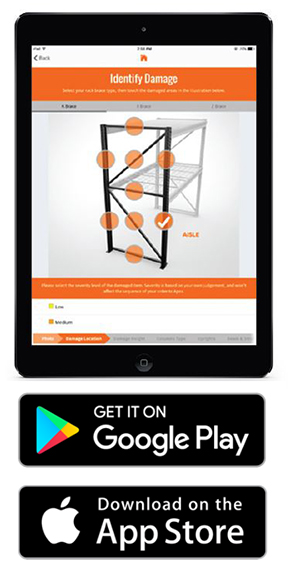
The app allows end-users to inspect pallet rack for damage – guiding them through the process of taking pictures and entering system specs. This allows us to suggest a custom repair kit if needed.
We refer to this as the Do It Yourself approach. All you need to do is download the free Apex Rack Repair app onto your mobile device and proceed with your pallet rack inspection. Once you’ve completed the inspection, upload your results for a thorough evaluation by the Apex PROs. You will receive a prompt, independent report along with a cost-effective repair solution if required.
Not crazy about DIY? Give the Apex PROs a call. A trained technician will arrive on-site at your North or South Carolina warehouse and complete an inspection using the Apex Rack Repair App.
Download the Apex Rack Repair Mobile App – Available on Google Play and the App Store.
