
Push-Back Rack Forklift Operator Training

Steps for Loading and Unloading Push-Back Rack
Push-back pallet rack is a high-density, Last-In/First-Out (LIFO) storage system that typically stores three to four pallets deep per lane, with deeper configurations available for some applications. Pallets rest on nested wheeled carts that travel along slightly inclined rails, allowing loads to move toward the aisle as the front pallet is removed.
Push-back is popular in many warehouse settings because it is easy to operate and requires relatively little maintenance. However, operators must follow procedures specific to push-back rack. Proper loading and unloading practices help protect the rack and equipment from damage and improve warehouse safety.
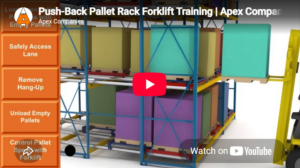
Push-Back Rack Forklift Training Video
The push-back rack loading and unloading video demonstrates proper procedures. Use it as part of operator training so drivers can understand cart movement, pallet positioning, and the importance of controlled forklift operation.
This video guide provides supplemental instruction for operating around push-back rack. Operators must still complete required forklift training and certification, receive instruction on the specific equipment they use, and be evaluated under actual workplace conditions.
Push-Back Pallet Rack Operating Procedures: Before You Begin
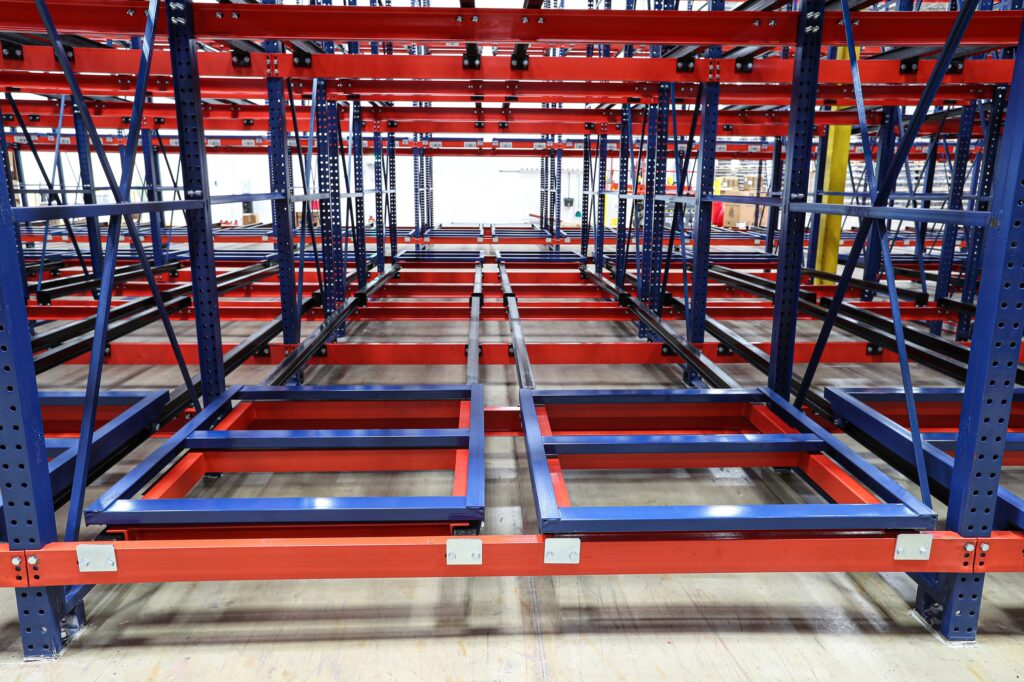
Load End of Push-Back Lane
Before Loading the Push-Back Lane
Complete these checks before loading a pallet into the push-back lane:
- The operator has been trained and certified to operate the forklift.
- The forklift is suitable for the load weight, lift height, aisle conditions, and required pushing force.
- The pallet dimensions and weight match the push-back system design.
- The pallet has no broken, missing, badly splintered, or sagging bottom boards or runners, and the load does not create concentrated point loads that the pallet or cart was not designed to support.
- The lane appears clear of wood fragments, shrink wrap, cardboard, or other debris.
Loading the Push Back System
Follow these steps when loading a push-back lane:
- Square the forklift with the lane opening.
- Lift the pallet load approximately 3- 4 inches above the first cart, ensuring it clears any pallet stops in the system construction.
- Slowly enter the rack system and place the pallet centered on the top cart —then slowly back out.
- Next, line up the bottom boards of the second pallet with the bottom boards of the first, just above the cart.
- Gently push back the first pallet as you enter the rack —centering the second pallet over the exposed cart.
- Place the pallet on the cart and back out slowly.
- Repeat the process to fill the lane.
- The last pallet is placed directly on the push-back rails.
Each pallet must sit squarely on its cart. Loading one pallet off-center can affect the position and movement of every pallet behind it. If a load is misaligned, secure it on the forks, remove it from the lane, and reload it correctly. Do not attempt to straighten a poorly positioned pallet by striking or forcing it with the forklift.

3-Deep Push-Back Rack
Unloading the System
Operators control the speed of advancing pallets by slowly backing the forklift out of the lane. Push-back rack safety training should reinforce this operating practice.
- Center the forklift with the front pallet.
- Enter the lane slowly and fully engage the pallet with the forks.
- Lift the pallet load approximately 3 to 4 inches above the first cart, ensuring it clears the pallet stops.
- Back out smoothly and slowly.
- Allow the remaining pallets to roll forward under control as the front pallet is removed.
- Repeat the process until the lane is empty.
Cart stops at the rear of the rails prevent carts from being pushed beyond the end of the lane. Bumpers help cushion the impact as the advancing cart reaches the aisle face.
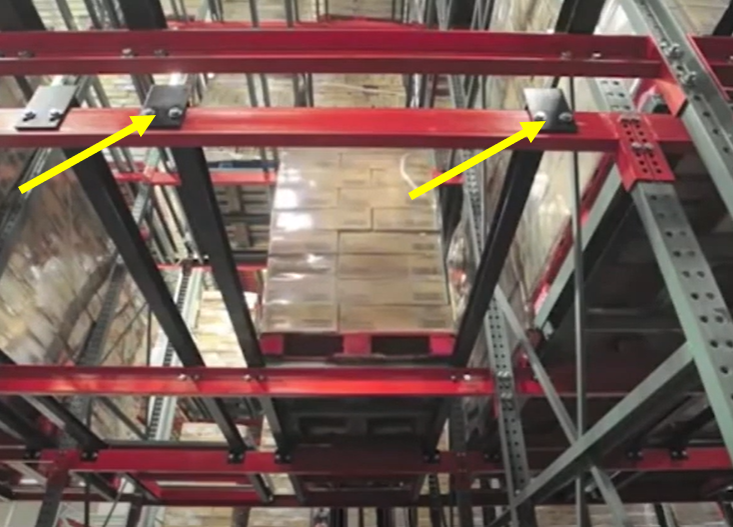 Pallet Stops |
 Bumper Plate |
Push-Back Rack Maintenance & Clearing Stuck Pallets
Regular inspection and maintenance help keep push-back rack operating safely and reliably.
- Visually inspect lanes to remove any debris that may obstruct cart flow, such as broken pallet boards, shrink wrap, or cardboard.
- Check all bolted connections —tighten any that have come loose over time.
- Lift each cart and inspect the wheels, particularly in moist environments or when the system is subjected to liquids. Wheels should spin freely.
Safety Note: Before entering or servicing a push-back lane, clear the affected lane and surrounding work area, secure the system against movement, and follow the facility’s established safety, access, and fall-protection procedures.
Purging a Stuck Pallet
If the rear pallets do not advance automatically, try purging the lane. Replace the front pallet to the lane and gently push back a few inches to nudge the rear pallet. Then slowly remove the front pallet again, controlling the load as you back out and watching to see whether the rear pallet advances toward the aisle.
If the pallet remains stuck after purging, you can use a cart retriever tool. The retriever tool assembles quickly and attaches to the available carts at the front of the lane. By pushing the tool into the lane you can slide it under the stuck pallet, rotate it to hook underneath. Then just slowly pull it forward.
Never physically enter the push-back rack system to reach or release a stuck pallet, cart, or obstruction.
If the pallet cannot be released via purging or the cart retriever, remove the lane from service and report the issue for further evaluation. A persistent hang-up may indicate debris, pallet damage, a damaged wheel or cart, rail interference, or another condition that should be corrected before the lane returns to operation.
If the cause cannot be safely identified or corrected, additional pallets, lanes, or bays may need to be unloaded so the system can be properly inspected. Contact Apex for assistance evaluating the problem and restoring the system to operation.
Get Damaged Rack Inspected and Repaired
System-specific forklift operator training is essential for warehouse safety. While the goal is always zero incidents, accidents can happen, so it’s best to prepare.
You can call the Apex PROs, and we’ll come out to you and complete a full warehouse safety audit. Our PROs are certified rack and safety inspectors who review for things such as:
- Damage to frames, beams, bracing, and anchors
- Bolted and welded connections
- Beam deflection
- Decking condition
- Pallet condition
- Load capacity
- System use versus design intent
Call the Apex team for more information or schedule your next warehouse safety inspection.
Frequently Asked Questions
Is the Push-Back Rack Forklift Training Video a Substitute for Operator Certification?
No. The video provides system-specific operating guidance, but employers must still provide formal instruction, practical training, and an evaluation covering the forklift and workplace conditions. The employer is responsible for documenting the operator’s training and evaluation. Apex can help with OSHA-compliant on-site group training for your team.
What Causes a Push-Back Lane to Stop Advancing?
Common causes include debris, damaged or misaligned pallets, damaged carts or wheels, and rail interference. Operators should stop using the lane if pallets do not advance normally and have the system inspected before applying additional force.
What Should We Do If a Push-Back Pallet Remains Stuck?
Try the controlled purge procedure by replacing the front pallet and gently pushing the lane back 2 to 3 inches. If the carts still do not advance, stop using the lane and isolate it. Have qualified personnel inspect the pallet, carts, rails, and rack before returning the lane to service.
How Often Should Push-Back Rack Training Be Refreshed?
Push-back rack and forklift training should be reviewed whenever unsafe operation, an incident or near miss, a change in forklift type, or a workplace change affects safe operation. OSHA also recommends that each powered industrial truck operator’s performance be evaluated at least once every three years; see 29 CFR 1910.178(l)(4).
