
People-First Pick Modules: How Better Ergonomics and Safety Drive Throughput

Ergonomics, safety, and flow: the simple math behind faster pick modules
Most pick modules are engineered for storage density and travel-path consolidation. The best are engineered for people, prioritizing ergonomic reach, safe movement, and clear workflows—because that’s what drives productivity and quality. When your module is built around your team, you see higher units/lines per hour, fewer injuries, and less rework. Read on for practical, field-tested checklists you can use today to tune your current module—or plan the next one with confidence.
The Human Factors That Move the Needle
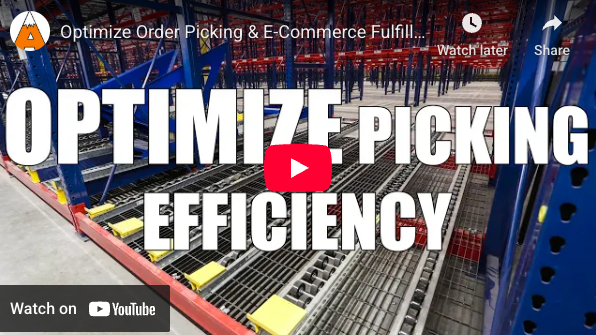 Reach & lift zones.
- Primary picks: Fastest movers live in the “power zone”—waist to shoulder. Target uniform pick heights so wrists stay neutral in the power zone.
- Secondary picks: knees to waist.
- Reserve and infrequent SKUs: Above shoulder or below knee, but never where bending/twisting is routine.
- Pair heavy items with short reach; light items can tolerate slightly deeper lanes –gravity-fed flow systems bring the items to the pick face, minimizing reach (see more on gravity flow below).
- Use short takeaway conveyors from pick zones to pack areas to cut cart pushes and keep pickers in-zone.
Step economy.
- Shorten the triangle: pick face → tote/cart → scan/confirm.
- Keep scan guns and label printers within a half-step.
- Mount confirmation tech at eye level to reduce neck flexion.
Decking & visibility.
- Choose decking with secure footing and low vibration.
- Use mezzanine guardrails with a top rail 42 in ± 3 in (OSHA). On stairs, use handrails (different item) at 34–38 in per IBC.
- Include toeboards at the edges and “see-around” corner mirrors or see-through guarding to reduce collisions.
- Color-contrast nosing and hazard striping sharpen visual cues for pace and safety.
Pick-Face Design You Can Measure
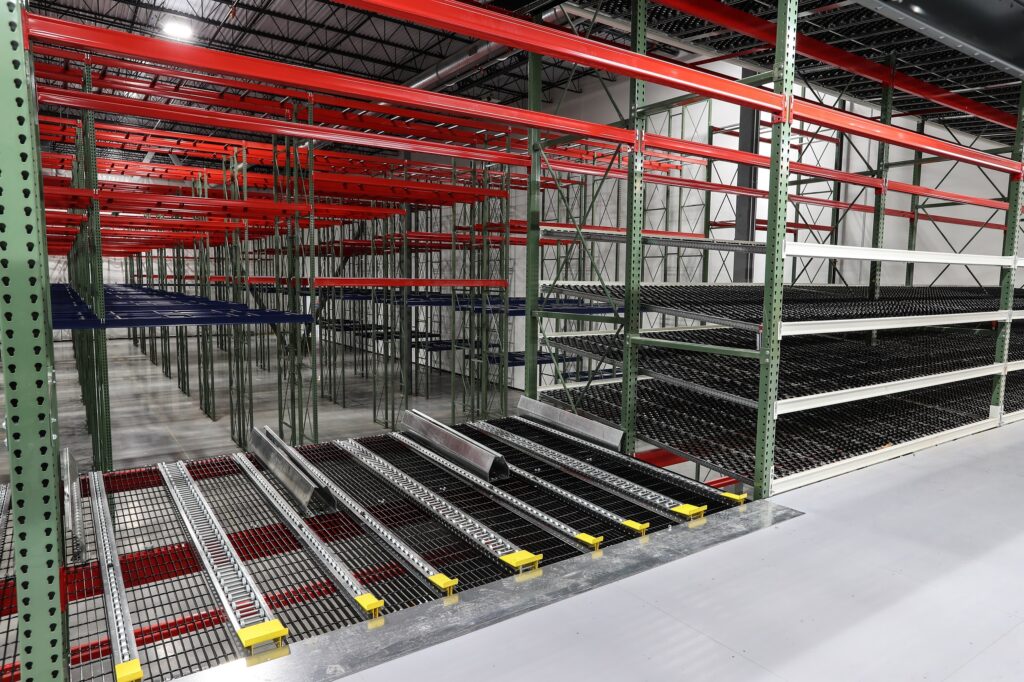
Pallet Flow (Left) / Carton Flow (Right)
Design pick faces so they’re easy to measure and tune. When locations, heights, and labels follow a standard, you can slot by data, verify performance quickly, and make small changes that compound into big throughput gains.
Flow vs. static.
Use dynamic carton flow for fast- & medium-turn items and static industrial shelving for slower movers to reduce touches and restocks. For quick-turn, full-case movers, deploy shallow (2-deep) pallet flow so pickers can select cases directly from pallets. Where the walk to the pack area is long, consider adding a short belt or motor-driven roller (MDR) takeaway conveyor to reduce travel and double-handling.
|
|
What Is Gravity Flow Rack?Gravity flow — Uses slightly pitched roller or wheel tracks to move items from a rear-load position to the front pick face—supporting FIFO (first-in/first-out). The two common types are carton flow and pallet flow. Carton Flow — Tracks mount inside standard rack to create configurable shelves for cartons, totes, and eaches. Product sits in deep lanes at easy-reach height; as an item is picked, the next one automatically advances, keeping the pick face full. Pallet Flow — Floor-level rails are loaded from outside the pick aisle and present pallets to the picker. Ideal for faster-moving, full-case picked SKUs. |
|
Labeling & wayfinding Clarify at a glance: bay → level → position. Use large-format bay numbers and color-coded zones (e.g., A-zone = yellow; B-zone = blue) so operators can orient quickly and supervisors can audit from a distance.
Work heights — Induction, pick, and pack surfaces belong roughly hip-to-elbow height for the crew actually using the station—confirm with your tallest/shortest operators and adjust with shims, platforms, or adjustable stands.
Multi-Level Safety (That Doesn’t Slow You Down)
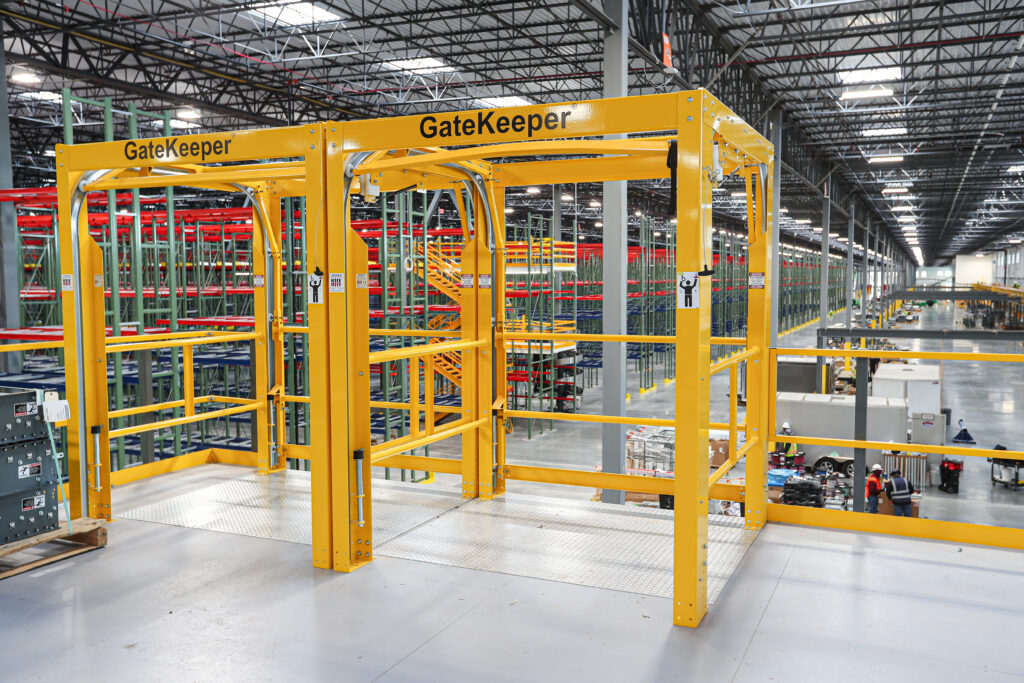
Mezzanine Guarding & Safe Pallet Drop Zones
Engineer safety into every level and aisle to keep pace high and incidents low, with guarding, visible egress, and defined equipment zones.
Guarding & fall protection
- Match guarding to edge type: pallet drop zones, mezzanine perimeters, and catwalks.
- Use self-closing or pivot-gate solutions at load areas to maintain a protected edge.
Clear, signed egress
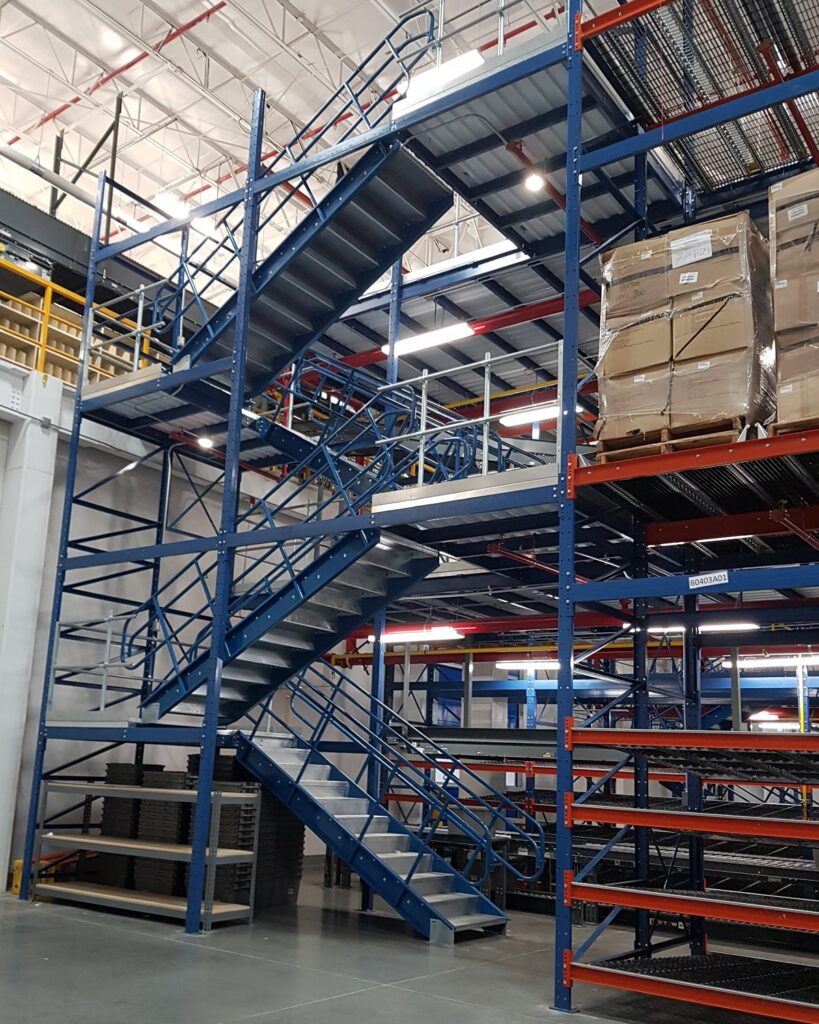
Stairs Tucked in Away from Forklift Traffic Aisle
- Mark minimum 36″ egress paths with high-contrast floor lines; post directional signage at eye level.
- Position stairs outside replen corridors and main forklift routes; align them with one-way pedestrian aisles to prevent crossing conflicts and guide intuitive flow.
Forklift/pedestrian separation
- At ground-level pick areas, use bollards/guardrails and overhead clearance bars to keep forklifts out of pedestrian aisles.
- Clearly mark and enforce “no-park” and “no-stage” zones at pick aisle entrances, scanner stations, and egress points.
- Add traffic mirrors and slow-to-go striping at every pick aisle entrance.
Replenishment Without Chaos
Dedicated replenishment lanes & windows
Create a replenishment corridor separate from pick aisles. Schedule replenishment windows (e.g., top of each hour) according to your facility’s SOP to separate pick and replenishment tasks. Mark entry/exit points for replen, so travel is one-way in and another way out.
Simple top-off rules
Set a 20–30% remaining trigger (tuned to demand and lead time) or replenish at wave end—whichever comes first. Use a system alert/light to flag low stock and name an owner + SLA for response.
Mistake-proofing
Use floor staging marks and buffer bays for inbound pallets; add countdown tags for partial loads. Run one-way replen flow (in → out) distinct from picker movement.
Use accumulation conveyors at merges to buffer flow into the pack area so scanners stay steady and aisles remain clear.
Lighting, Noise & Fatigue
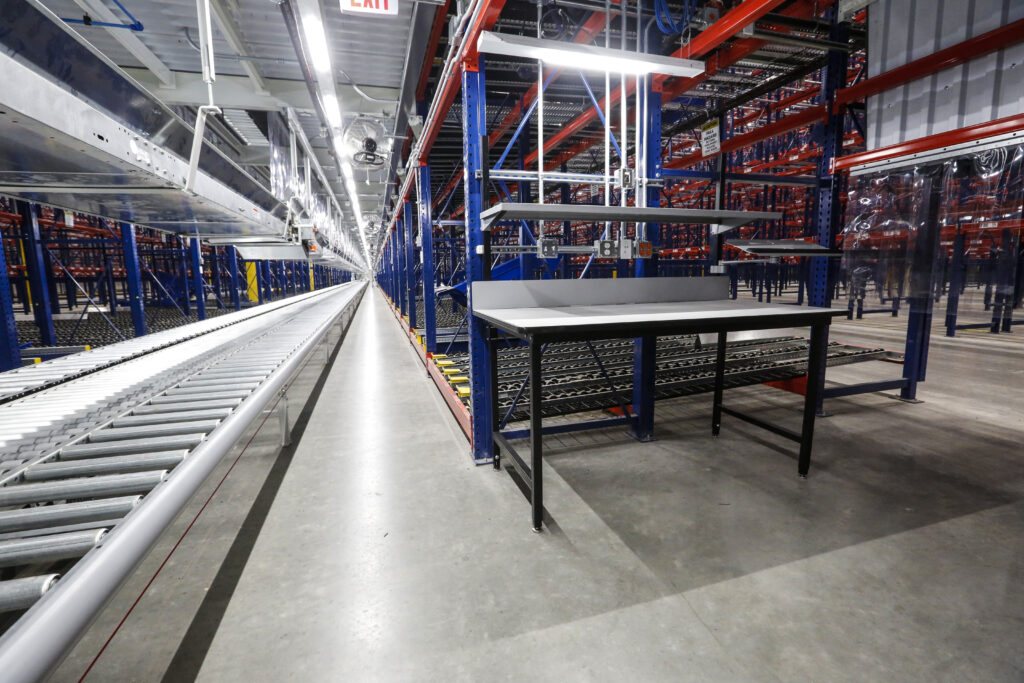
Well-Light Ergonomically Designed Pick Module – Ground Level
Design the environment so picks scan cleanly on the first try, cognitive load stays low, and teams can sustain pace all shift—that means setting light levels, noise, and recovery breaks with the same discipline you use for slotting.
Light for scanning
- Target 500–750 lux at pick faces; use 4000–5000K color temperature for barcode readability and reduce visual fatigue.
- Shield fixtures to reduce glare on glossy cartons and scanner screens.
Noise reduction
- Choose quieter decking where carts roll, and install rubber bumpers on cart stops.
- Use rigid signage materials that don’t rattle; fix loose panels that create “mystery noise.”
Work breaks & rotation
- Rotate breaks for workers so that they take a break every 90-120 minutes… more frequently if the work is intensive or the warehouse temperature is hot/cold.
- Rotate pickers between high-reach and neutral-reach areas to balance the load.
Quick-Win Checklist
- 70%+ of touches in waist-to-shoulder zone
- Scanner within 12–18″ of primary pick point; neutral wrist angle
- Gravity flow for fast & medium turn inventory; clear lane dividers & labels
- Color-coded zones and large bay numbering visible from 20–30 ft
- 36″ egress lanes marked; stairs placed to avoid cross-traffic
- Guarded edges with self-closing/pivot gates at drop zones
- Replen corridor separated from pick aisles; posted time windows
- Set top-off trigger in SOP; add light cue in place
- No-park and staging marks at pick aisle entrances and stairway landings
- Lighting 500–750 lux, 4000–5000K; glare controlled at scanners
- Noise controls on decking, cart stops, and signage
- Schedule regular breaks & job rotation in high-intensity zones
Next Steps: Turn People-First into Performance
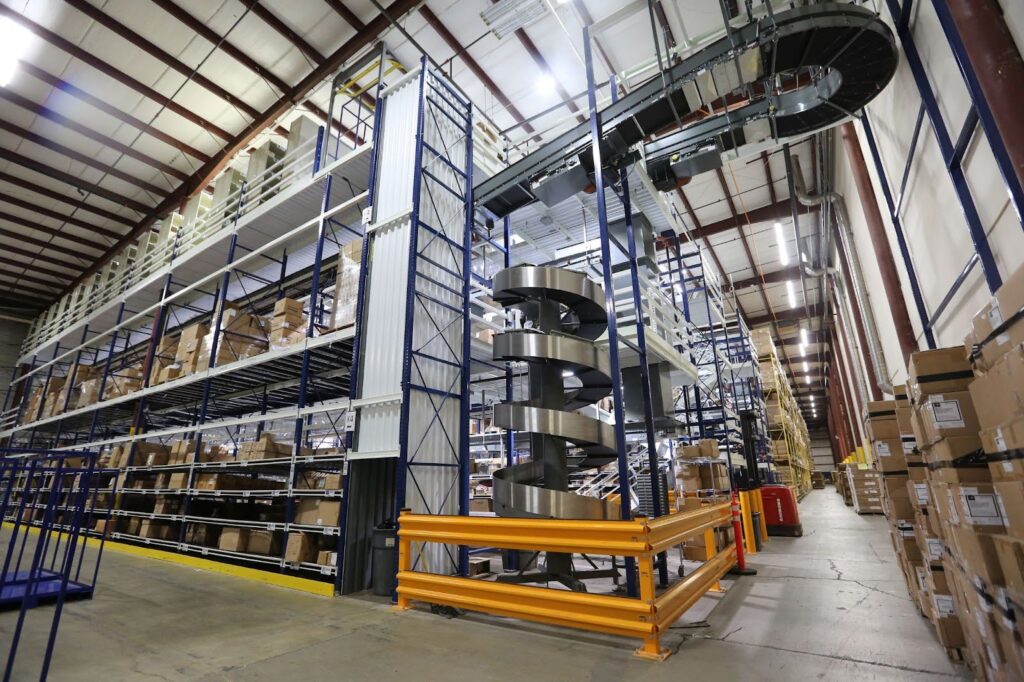
Ready to tune your current module—or plan a new one? Apex designs, supplies, and installs multi-level, people-first pick modules with the right mix of ergonomic systems and solutions to keep your team safe and productive.
Book a site walk-through to get a people-first plan and an actionable improvement roadmap.
