
Pallet Rack Safety Check — Demystifying Unsupported Beam Spans

While “open concept” might be all the rage in modern design, it’s not an ideal trend for pallet racking systems. In fact, too much open space can become a serious safety concern if the rack system isn’t designed to handle it.
At Apex Colorado, safety is always the priority. That’s why we’re back with another Safety Spotlight—this time focusing on the importance of unsupported beam spans. Let’s walk through how to evaluate your rack’s configuration and load capacity to ensure your warehouse setup is both safe and efficient.


Understanding Unsupported Beam Spans and Upright Stability for Your Pallet Rack
In a pallet rack upright frame, the distance between beam levels is referred to as the unsupported span or vertical beam spacing. If you take a look at your rack system, you’ll notice these open spaces between beams. A common misconception is that a larger opening means the rack can hold larger loads, but that’s not the case. In fact, the greater the unsupported span, the lower the overall capacity the frame can safely handle.
Here’s why: beams do more than just support inventory—they also act as horizontal ties that stabilize the uprights. The more ties you have within the frame, the more stable and stronger the structure becomes. On the flip side, larger unsupported spans mean fewer horizontal ties, increasing the risk of frame instability and reducing overall load capacity.
Verifying Vertical Spacing and Load Capacity for Safety
To determine the maximum unsupported beam span, measure the distance between each beam level and identify the largest opening. For the first level, measure from the floor to the top of the first beam. The largest span you measure will represent the maximum unsupported opening in the rack system.
Check that the maximum vertical spacing you’ve measured matches or is less than what’s indicated in the system’s original design specifications. These details can be found in the rack’s engineering drawings or on the load plaques placed at the end of each rack row by the manufacturer. Keep in mind that load plaques aren’t always required to list maximum spacing, so refer to the engineered drawings if this information isn’t provided. If beam levels have been moved from their original positions, the load plaque may no longer reflect accurate capacity limits.
Tip: Apex offers engineering reviews for older racking systems to confirm load capacities and provide updated capacity signs if needed.
Next, verify that the pallet loads you’re storing fall within the intended load ratings for your rack system. Use the load plaque or capacity charts from the rack manufacturer to confirm beam and upright capacities. These charts are typically included with the rack documentation and can often be found online as well.
Incorporating vertical beam spacing and load capacity checks into your routine pallet rack safety audits is essential. If your rack configuration changes, contact the manufacturer or a certified engineer to ensure the new setup adheres to the original design’s load specifications.

Sample Rack Capacity Plaque
Factors That Can Also Influence Pallet Rack Frame Capacity
Several key factors can impact the overall capacity and stability of your pallet rack frame. Here’s what to keep in mind:
- Warehouse Flooring: The floor must be capable of supporting the load transferred from the rack system. Weak or uneven floors can compromise the integrity of the entire structure.
- Proper Anchoring: The rack system must be securely anchored to the warehouse floor to prevent tipping or shifting under load.
- Height-to-Depth Ratio: Uprights that exceed the recommended 6:1 height-to-depth ratio need additional engineering safeguards to maintain stability and prevent potential collapse.
- Seismic Zone Requirements: Warehouses located in seismic zones must adhere to specific guidelines to ensure the rack system can withstand potential earthquake forces.
To keep your warehouse operations safe and compliant, consider the Apex Rack Repair & Safety Program. Use the Apex Rack Repair App to conduct self-guided audits, or call on the Apex PRO Team for a comprehensive rack inspection. Staying proactive about rack safety can save you from costly downtime and potential hazards.
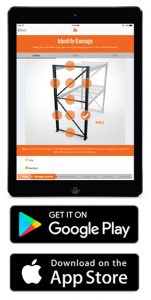
The Apex Rack Repair Mobile App makes it easy to conduct a full Do It Yourself pallet rack system audit. The app guides you through key specifications, allowing you to capture photos and notes on damage to columns, struts, baseplates, anchors, and beams. You can also log details about wire decking, support structures, load deflection, flue spacing, and more.
Prefer to leave it to the experts? The Apex PROs have you covered. Our certified rack inspectors will visit your facility to perform a comprehensive audit using the Rack Repair Mobile App.
Our Promise: Whether you choose the DIY approach or a professional inspection, you’ll receive a detailed rack inspection report, including independent repair and maintenance recommendations.
A safe and well-maintained rack system is essential to optimizing warehouse operations in Colorado. The Apex Rack Repair Mobile App is here to help ensure your pallet racking is up to the task. Download the app today or contact us to learn more!
