
Order Picking & The Put Wall — Streamlining Order Fulfillment & Controlling Costs

Automated or Not There’s Power in the Put Wall Design
The health crisis of 2020 wasn’t the first step in changing the customer demand/order fulfillment landscape; it was more like a high-speed escalator relentlessly driving us to this new inflection point. In most cases, just-in-time fulfillment became “just a little too late” as manufacturers struggled to meet demand. Additionally, facilities traditionally responsible for large DC and retail orders were tackling smaller, individual customer order fulfillment to compete with the ever-increasing online consumer marketplace.
If you struggle to keep up, it’s time to evaluate your options to manage the new landscape effectively. A viable option for streamlined small order fulfillment is a put wall. Here’s a closer look at the advantages of these systems.
What is a Put Wall System?
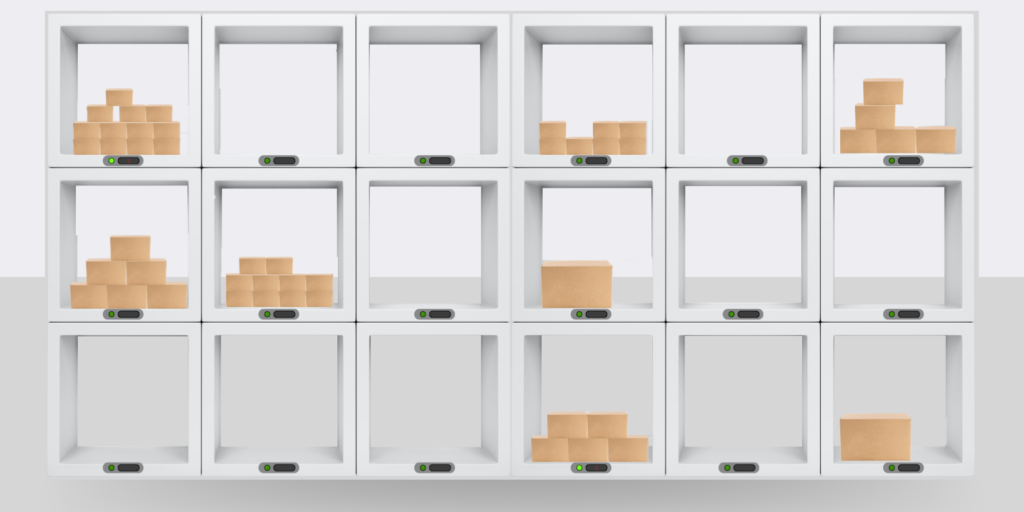
Put Wall with Pick-to-Light Automation
A put wall is a staging and order consolidation center. It is an actual wall of slots or cubbies –each designated for an individual customer order. As items are picked, they are brought to the wall and placed in the slot pertaining to the order. When the order is complete, a worker on the opposite side of the wall extracts the items, completes the packing, or puts them on a conveyor bound for a packing station.
Ok, now the real question is… How Can a Put Wall Help My Productivity?
By consolidating orders within the put wall, pickers can gather more items per trip because they don’t have to sort anything until they get to the wall. A simple scanner at the wall can enhance item placement into the correct cubby and speed processing. Fewer trips equal less travel, lower labor costs, and enhanced productivity. The benefits of a put wall system breakdown as follows:
Benefits
- Streamlines order fulfillment processes
- Reduces picking and packing errors
- Optimizes labor allocation
- Provides real-time visibility into order status
- Maximizes warehouse space
- Efficiently scalable for fluctuating order volumes
- Adaptable to inventory specs, volume, space, and workflow
Put wall systems can be as basic or as automated as your order processing needs dictate, and they can be scaled up quickly to meet rising demand. Whether there is a surge in demand during peak seasons or a decrease during slower periods, the put wall system can scale up or down efficiently to accommodate different order volumes without major disruptions to the overall order fulfillment process.
This scalability ensures that the system remains effective for long-term order processing needs. Additionally, supervisors can allocate resources effectively, using real-time monitoring and promptly responding to bottlenecks and demand fluctuations.
The advantages of a put wall grow as you add in automation solutions, which can range from a put-to-light system to a fully automated picking process requiring minimal labor to complete order fulfillment.
Put Wall System Design

Put Wall Installation
Put wall systems are customizable based on your space availability, item specs, and order volume. While this blog focuses on order fulfillment, put walls can also be used for kitting applications. The design is similar in either case.
Put walls are ergonomically designed to enable workers to easily reach each level –which may mean you need several wall units to satisfy fulfillment needs. Often, take-a-way conveyors are positioned within the workspace to transition the prepared order to shipping efficiently. Fully automated systems will also use conveyors to bring the items to the wall.
Design Considerations
- Order volume
- Inventory specs
- Warehouse space
Order Volume
The size and capacity of the put wall are predicated on order volume –and your picking method must also coincide to ensure the put wall has the available slots to accommodate the anticipated pick volume. Design your system to be scalable to manage fluctuations in order volumes, such as peak seasons or increased demand, without significant disruption.
Higher order volumes may warrant more automation, such as conveyors or sortation systems, to efficiently route items to the put wall stations.
Inventory Specs
The dimensions of the cubbies or bins in the put wall should align with the range of product sizes and SKUs in the inventory. A diverse product range may require flexibility in cubbie size.
Ensure that fragile or special handling items have unique cubbies or additional cushioning and that items with temperature sensitivities have temperature-controlled zones.
Warehouse Space
Efficient space utilization is critical, and the put wall should be positioned to minimize the distance between the picking zones and the put wall to reduce travel time. Aisle width should safely accommodate workers and enhance their ability to move comfortably. But don’t forget about vertical space, which can provide multi-tier put walls through a mezzanine design.
A modular put wall design helps accommodate future growth without requiring a complete system overhaul.
Order Picking Solutions to Pair with Put Wall Systems

Pick-to-Light System
Items don’t magically appear in the put wall. Picking items involves several processes that ensure accurate, efficient, and organized order assembly. The best order pick method depends on your warehouse layout, technology, and products. Here are some common options for picking items to populate a put wall:
Batch Picking
A worker or a picking cart is assigned multiple orders or order items simultaneously. The picker collects all the items needed for these orders within the warehouse.
Once all items are gathered, the picker delivers them to the put wall for sorting and assembly.
Zone Picking
The warehouse is divided into zones, each assigned to a specific picker or picking team. Pickers are responsible for selecting items only within their designated zones. The items from various zones are then consolidated at the put wall.
Wave Picking
This combines batch and zone picking where orders are grouped into “waves,” and pickers are assigned to specific waves. Pickers select items for all orders in their assigned wave, which may include items from different zones or areas of the warehouse.
Pick-to-Light Systems
Pickers are guided to the exact location of each item via a network of lights and displays. The lights illuminate the item to be picked, and the picker confirms the pick when the item is retrieved. The system then directs the picker to the appropriate cubby in the put wall for placement.

Voice Picking Technology
Pick-by-Voice Systems
Voice instructions guide pickers to the correct items. Pickers wear headsets and receive verbal directions on which items to pick. Once picked, the picker confirms the action vocally, and the system directs them to the put wall for placement.
RFID Technology
Radio-frequency identification technology can track and locate items within the warehouse. RFID tags on products and in the picking bins help identify the items and their locations. Pickers use RFID readers to scan and pick items, and the system updates the put wall accordingly.
Cart-Based Picking
Using a mobile cart or trolley equipped with shelves, bins, or totes, pickers move through the warehouse, selecting items and placing them into the cart. Once the cart is full, it is taken to the put wall for order consolidation.
AGV & AMR Systems
In this highly automated approach, robots or automated systems retrieve items from storage and deliver them to a picking station or put wall. Human pickers are stationed at the put wall, where they assemble orders as the items are delivered.
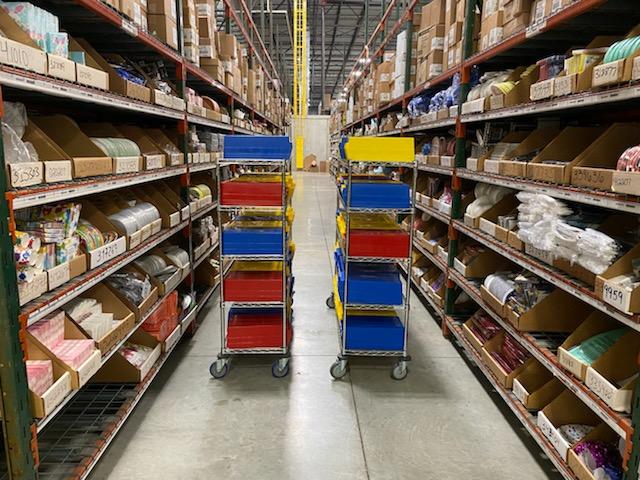 Batch Picking to Cart |
 AMR Order Picking |
Obviously, there are options to choose from… the goal is to optimize picking efficiency, minimize errors, and ensure items are correctly placed in the put wall for order assembly and shipping.
Put Wall in Reverse
While we are reviewing the benefits of a put wall system for order processing, it is also valuable to mention that you can also deploy a put wall for restocking returned items as part of your reverse logistics process.
The process would work as follows:
Items received would be logged into the inventory system, whether manually or scanned. Those acceptable for restocking would be designated to a slot in the put wall. The assigned worker would receive notification that the item was ready for restocking. The worker would extract the item from the put wall and restock it. Along the process, if you are using automation, you can track the item in real-time, helping you keep the stock availability transparent for customers shopping for that item.
Must You Automate Your System?
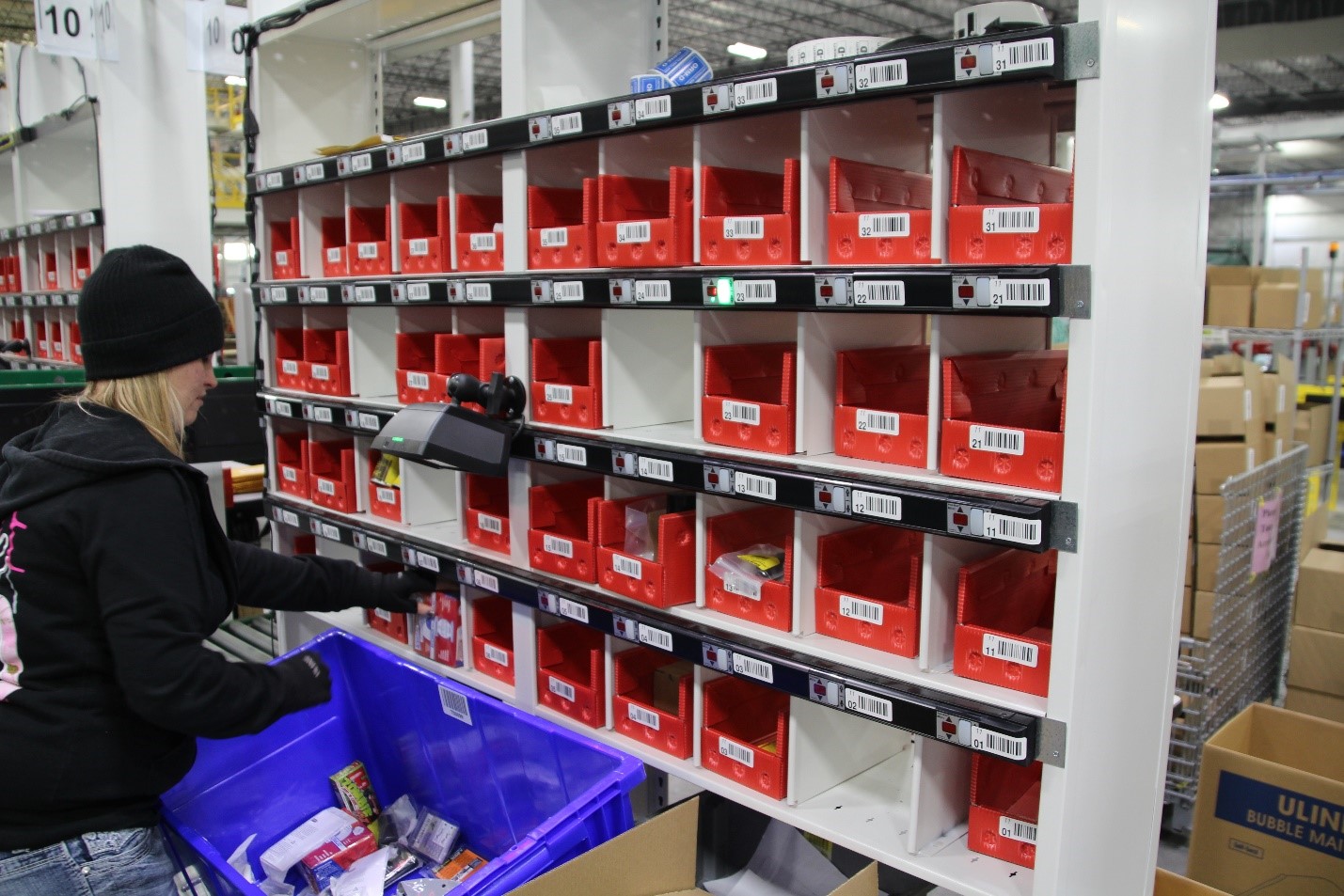
Using technology in a put wall system depends on your specific goals and budget. While technology can enhance accuracy and efficiency, it may not always be justified for all operations, especially if order volume is low or inventory is straightforward. However, for high-volume and complex fulfillment centers, using technology to notify workers when an order is complete can be valuable for optimizing order processing and reducing errors.
Basic Put Walls: In some warehouses, especially those with smaller order volumes or less automation, put walls may not have built-in technology for order completion notifications. Workers rely on manual verification and supervision to ensure orders are complete.
Moderate Automation Put Walls: Many warehouses incorporate technology like light indicators, displays, or basic software to show workers which items to place in each bin. While these systems may help with accuracy and organization, they may not offer automated notifications when an order is complete.
Advanced Automation Put Walls: In highly automated and sophisticated warehouses, put wall systems can be integrated with advanced technology. These systems may have sensors, barcode scanning, RFID, or automated weight verification to detect when all items for an order have been placed in the designated cubbies. Once the system verifies order completeness, it can notify workers through various means, such as visual cues, display messages, or alerts on handheld devices.
Don’t Be Overwhelmed… It’s Just One Call for Full-Service Support
Ultimately, there is much to consider in designing and applying your order processing and fulfillment solution. The Apex team can help you from start to finish –and beyond. We provide full-service support from data analysis, layout and design, installation, training, and servicing. We aim to help you meet your goals –as smoothly as possible.
Contact the Apex team today to schedule a consultation and find the best solutions for your needs. We Got This!
